Virtual Office Address: Guide for Australian Businesses
Discover how to set up a virtual office address in Australia. We cover the main benefits, ASIC requirements, and 5 top virtual office address providers in AU.


Buying supplies for a business can be time-consuming, especially when trying to coordinate spend across multiple suppliers and keep essential products fully stocked.
New data from Lonergan Research found Australian business leaders estimate they lose around $257,000 AUD a year due to poor procurement management¹. Amazon’s tools aim to address the common challenges that cause this, like manual approvals and fragmented purchasing.
With that in mind, this blog will detail how Amazon Business accounts in Australia work, the benefits of using them for procurement, and the costs and steps involved in setting one up in 2026. There’s also an intro to Wise Business – a multi-currency account you can use alongside Amazon Business.
| Table of Contents |
|---|


An Amazon Business Account is a dedicated B2B purchasing platform designed primarily for procurement – buying the goods and materials a company needs to operate day-to-day. It offers the familiar Amazon shopping experience, with specific features for business, such as special pricing, bulk discounts, spending analytics, and approval workflows².
The service launched in Australia in 2025 and targets organisations of all sizes. In its first year, tens of thousands of local organisations used Amazon Business, with orders jumping 155% in the second half of its launch year¹. The growth comes as SMEs look for new ways to make procurement more time and cost-efficient.
Amazon Business is designed for most organisations that regularly buy products for work. That includes:
The main advantage is that businesses don’t have to manually complete every single purchase – they can use Amazon Business tools to standardise and manage buying, with perks like quantity-based pricing and fast, free delivery.
A standard Amazon account is designed for personal shopping for one person, whereas Amazon’s multi-user Business account allows bigger teams to make regular work-based purchases. You can create purchasing groups, assign permissions and set approval workflows, so you have full control over who buys what.
Separating personal from business purchases in this way makes procurement and accounting much simpler (and safer) with less reconciliation work, while reducing compliance risks with the Australian Taxation Office (ATO).
When signing up for a new Business account, Amazon says it can “reshape” buying supplies for your organisation, highlighting the quantity discounts on 4+ million products, and its ability to optimise the whole purchasing process³.
The main benefits are centred around simplifying purchasing and giving businesses more control over spending (and saving money). These include:
Amazon continues to roll out new features, too. It recently added a new ‘Quick’ service that uses AI to automate manual tasks and carry out research¹. All these benefits aim to make day-to-day purchasing simpler and more efficient, so you spend less time managing orders.

Is an Amazon Business account free? Yes, there are no costs when creating an account, but certain advanced features and benefits require a paid Prime Business membership.
There are five plans available in total, each with different pricing and user limits⁵:
The exact benefits depend on the plan you choose. For example, Spend Visibility and enhanced Guide Buying come with the Essentials plan and above. The top-tier Enterprise then adds more advanced purchasing controls.
It’s important to note that while you don’t need to pay to create an account, you do get more tools and benefits with paid Prime Business plans. Amazon does offer either a 30-day or an extended free trial for you to try the service first⁵.
It’s free to create an Amazon Business account, and there are just a few steps to get things up and running.
To get started, click on ‘Create a free account’ from the Amazon Business home page². You’ll then be taken to a sign-up landing page, where you’ll be asked to enter an email address³. Amazon says a work email is preferable (as opposed to a personal one).
Next, you need to provide a first and last name, then select and re-enter a password with at least 6 characters for your business account. After clicking Continue, you’ll be prompted to enter a security code sent to your email.
Now, it’s time to submit a few details about your business – Amazon says this helps to “verify it.” You’ll need to enter:
Amazon notes that the verification process will be quicker if you use details from official documents, such as tax returns.
After you’ve entered all your business details, take one moment to review all the information. The final step is then to click ‘Create business account’, after which your Amazon Business account will be ready to use.
Many businesses use Amazon to both buy supplies and sell products to customers. The Amazon Business Seller program, which has separate requirements and fees, lets businesses reach more B2B customers with features such as bulk pricing, GST calculation and invoicing⁶.

For businesses operating across borders, this creates a sort of sourcing and selling ‘loop,’ where payouts from international sales are received at the same time payments are sent to suppliers for products or supplies. This constant movement requires smart currency management, with tools that can support smooth cash flow and keep international payments moving without delays.
When buying from international Amazon marketplaces, Australian businesses access a wider range of products and suppliers, but it can make certain aspects of purchasing more complicated. For example, you may have to deal with currencies other than AUD, and make sense of fluctuating exchange rates and high international payment costs when using traditional corporate credit cards.
These costs make it harder to know exactly how much an international purchase will cost in Australian dollars, introducing uncertainty even as Amazon’s Business tools streamline most of the busy work. That’s why managing currencies efficiently is a critical final step when trying to keep purchasing costs predictable and under control.
With Wise Business, you can manage international payments right alongside your Amazon Business account, making it easier to pay overseas suppliers and manage different currencies in one place. You can top up your balance or hold and convert currencies at low and transparent fees, with no hidden markups on the mid-market exchange rate.
So if you’re sourcing products from overseas or selling to customers in markets outside Australia, Wise Business keeps your money moving across borders. It’s a simpler way to manage the financial side of your Amazon Business account, so you can spend less time navigating currencies and more time growing your business.
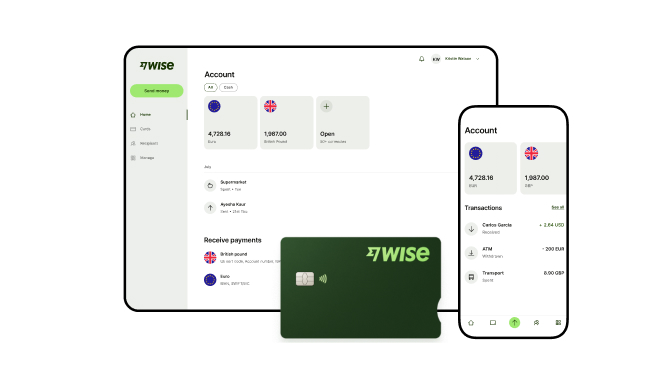
A Wise Business account allows users to send, receive, and hold in multiple currencies. Experience hassle-free global transactions by transacting like a local business. Here's what you get with a Wise Business account:
Sign up for the Wise Business account! 🚀
This general advice does not take into account your objectives, financial circumstances or needs and you should consider if it is appropriate for you.
**Capital at risk, growth not guaranteed. Interest is the name of a custody and nominee service provided by Wise Australia Investments Pty Ltd in partnership with Franklin Templeton.
1. What documents do I need to verify my Australian business?
To verify your Amazon Business account as an Australian business, you’ll need to provide your business’s legal entity or trading name, an active Australian Business Number (ABN), business address, and business phone number. Using details from official documents can speed up the verification process.
2. How can I avoid international transaction fees on Amazon Business?
To reduce international transaction fees when buying from overseas suppliers, you should use a payment method that supports the currency you’re paying in without unnecessary conversions. With Wise Business, you can convert AUD into the currency you need before making a purchase, then use the available balance to pay suppliers in that currency.
Source:
*Please see terms of use and product availability for your region or visit Wise fees and pricing for the most up to date pricing and fee information.
This publication is provided for general information purposes and does not constitute legal, tax or other professional advice from Wise Payments Limited or its subsidiaries and its affiliates, and it is not intended as a substitute for obtaining advice from a financial advisor or any other professional.
We make no representations, warranties or guarantees, whether expressed or implied, that the content in the publication is accurate, complete or up to date.

Discover how to set up a virtual office address in Australia. We cover the main benefits, ASIC requirements, and 5 top virtual office address providers in AU.

Learn how Australian businesses can hire remote staff locally and overseas. We cover the recruitment process, rules and managing remote payroll.

Discover how to manage remote employees effectively. We cover 10 best practices, Australian legal obligations, WHS rules and using Wise Business.

Compare the best international shipping options from Australia. We cover top providers, delivery times, shipping rates, required documents and customs duties.

Learn how long international shipping takes from Australia. This guide covers delivery times by region, major couriers, customs thresholds and restricted items.

Learn how Australian businesses can streamline international payment processing, reduce exchange fees, understand payment rails, and compare processing methods.