Razorpay international payments: Charges, setup and compliance
Learn how Razorpay handles international payments in India. We explain gateway charges, Multi-Currency Account fees, FEMA and FIRC compliance, and more.


A small office in Pune needs printer paper, cleaning supplies and two new chairs. The office manager could visit three shops, pay three bills and keep track of three receipts. Or the office could order everything from one account, in the company's name, with a GST bill for each order.
That is what an Amazon Business account is for. This guide covers what it is, what you need to open one in India, how to set it up, and what it costs.
| Table of Contents |
|---|


An Amazon Business account lets businesses and organisations buy the goods they need. It runs on Amazon.in, but the account is registered to a business rather than an individual. It is separate from your personal Amazon account.¹
Businesses use it to buy what they need to run each day. That could be office supplies, laptops, cleaning products, pantry items or packaging. Amazon says the account gives access to over 15 crore products, with GST invoices on eligible orders.¹
There is more to it than shopping. Teams can share an account, with different roles for buyers, approvers and finance staff. Admins can set approval rules for large orders. They can also use spend reports to track where the money goes.¹
Most registered businesses and organisations in India can open an account. This includes sole proprietors, partnerships, LLPs, private and public limited companies, MSMEs, NGOs, schools and hospitals.¹
These accounts serve different purposes. An Amazon Business account is for buying goods for your business. A seller account is for businesses that want to sell on Amazon.
| Account | What it's for | Where you sign up |
|---|---|---|
| Amazon Business account | Buying goods for your business | business.amazon.in |
| Amazon seller account | Selling to business and individual buyers | sellercentral.amazon.in |
Sellers who want to reach business buyers can join the Amazon Business (B2B) Seller Program. Sellers who registered on or after July 2018 are part of the programme by default.2 They can manage both business and consumer listings from one Seller Central account and can also set business-only prices and offer quantity discounts to verified business buyers.2

You only need a few details to get started. Keep these ready before you register:¹
Don't have a GSTIN? You can still register with a Business PAN and trade licence, Udyam certificate or FSSAI licence. However, you need a GSTIN to claim input tax credit.
You can complete the sign-up in about 5 to 10 minutes. Verification can take up to three working days.¹
If you already shop on Amazon.in, you can use the same login. Amazon will create a separate business profile linked to it.¹ You can also use your work email to keep the account separate from your personal shopping.
Go to business.amazon.in and select "Create a free account". Enter your business email address to get started.¹
Enter your business name as it appears on your GST certificate or PAN. Then add your business address, entity type and mobile number.¹
Amazon will send a one-time password to your mobile number and a confirmation link to your email. Follow the steps to verify both.¹
Enter your GSTIN. Amazon will use the GST database to fill in your legal name and registered address.¹ If you don't have a GSTIN, you can submit a Business PAN, Udyam certificate or FSSAI licence instead.¹
You can browse products and check prices while Amazon reviews your details. However, you can't place orders or add team members until verification is complete.² Amazon will email you once your account is approved.²
After you sign up: Change your GST number or billing address
Amazon usually verifies accounts with a valid GSTIN within three working days and sends an email once approved. You can then view business prices, GST invoices and bulk discounts on eligible products. Your account is ready to use.
Amazon uses your registered business address as the billing address on GST invoices by default. If your business has offices in several states, you can choose a different default address from the same page.3

Opening and using an Amazon Business account in India is free. There are no sign-up, annual or maintenance fees. You only pay for the products you buy.¹
Here are the costs to keep in mind:
Receiving foreign currency Amazon payouts directly into a standard domestic bank account often means losing a portion of your revenue to hidden exchange rate markups and high conversion costs.
Wise Business helps solve this by providing local account details in currencies like USD and GBP that you can connect directly to your Amazon Seller Central dashboard.
Expanding a business globally opens up exciting opportunities, but also new challenges like receiving payments across borders. Hidden foreign transaction fees and hefty markups involved with international payments can eat into your profits and time.
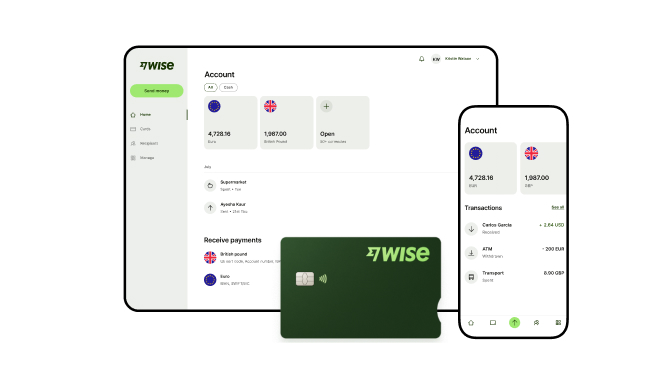
Wise Business addresses this gap by enabling Indian businesses to receive money from abroad using local account details in supported foreign currencies. Conversions are offered mid-market exchange rates with no hidden markups and a transparent upfront fee.
Are you a small business or freelancer receiving payments from overseas? Transform the way you receive global payments with Wise Business:
Sign up for the Wise Business account! 🚀
1. How do I add or change the GST number in an Amazon Business account?
Sign in as an admin and go to Business Settings, then Manage GST. You can add, edit or delete GSTINs from there. All account users can view the GST numbers, but only admins can change them.8
2. Is an Amazon Business account free in India?
Yes. There are no sign-up, annual or maintenance fees.¹ Prime membership is optional and comes at an extra cost.6
3. How long does verification take?
Verification usually takes up to three working days with a valid GSTIN.¹
4. Can I sell products through an Amazon Business account?
No. An Amazon Business account is for buying. To sell to business buyers, you need a seller account on Seller Central. New sellers join the B2B Seller Program by default.2
*Please see terms of use and product availability for your region or visit Wise fees and pricing for the most up to date pricing and fee information.
This publication is provided for general information purposes and does not constitute legal, tax or other professional advice from Wise Payments Limited or its subsidiaries and its affiliates, and it is not intended as a substitute for obtaining advice from a financial advisor or any other professional.
We make no representations, warranties or guarantees, whether expressed or implied, that the content in the publication is accurate, complete or up to date.

Learn how Razorpay handles international payments in India. We explain gateway charges, Multi-Currency Account fees, FEMA and FIRC compliance, and more.

Learn how Indian freelancers and businesses can invoice international clients. We cover RBI and GST rules, invoice formats, and payment options

Compare Skydo vs PayPal for international payments in India. We break down transfer fees, exchange rate markups, FIRA rules, customer ratings and alternatives.

Learn what an online payment system is, how it works, the main payment methods in India, and the fees to check before setting one up.

Explore how Payoneer works in India. Learn about its features, fees, 24-hour auto-withdrawal rules, account setup requirements, safety, and alternatives.

Learn the main methods of payment in international trade, how each one works, and which is safest for Indian exporters and importers.