How Wise Works in India: Features, Fees, Limits, and Getting Started
Learn how Wise works in India. Discover how to send and receive money, use the Wise Travel Card, complete Video KYC, and understand fees and transfer limits.




The Wise Travel card lets you hold 40+ currencies and spend at the interbank exchange rate with no forex markups or hidden fees - now available to order for free (Limited time offer, while stocks last).
Order your free Wise Travel card 💳
You may have heard about PayPal in India, but you might be asking yourself: how does it actually work? That is a good question, because it works completely differently domestically, and also differs significantly for personal use versus businesses in India. Let’s break down how you can use PayPal in India. Since April 2021, PayPal no longer supports domestic INR transfers in India. It now works exclusively for cross-border transactions.
We'll also let you in on a simple and easy way to receive money in India and introduce you to Wise Business. Wise offers Indian businesses and freelancers account details in 8 different currencies to receive payments from abroad. Your clients pay you with a local transfer in their currency, and you receive rupees directly in your INR bank account — with an automated eFIRC provided for every transfer.
Get started with a Wise Business Account 🚀
| Table of Contents |
|---|
Yes, PayPal works in India, but it does have some limitations. PayPal completely shut down its domestic services a few years ago. Today, it only works for international transactions. You can sign up for personal or business accounts.
Here's what you can with Paypal in India:
- Receive international payments: If you are a freelancer, creator, or business owner in India, you can use a PayPal Business account to get paid by overseas clients in foreign currencies like USD, GBP, or EUR.
- Shop on global websites: You can link your Indian credit or debit card to a personal PayPal account to buy things securely from international online stores.
Here's what you can't do with Paypal in India:
- No local transfers: You cannot send money to, or receive money from, anyone else living in India.
- No holding a balance: You can't keep a cash balance or store foreign currency in your Indian PayPal wallet.
- Automatic bank transfers: Due to regulations, any money you receive from abroad can't sit in your account so PayPal has to automatically convert it to INR and send it straight to your linked Indian bank account within 24 to 72 hours.
- No P2P transfers: Personal users can't use it for casual peer-to-peer (P2P) transfers within the country.
So, let’s get started on how to open a PayPal account in India. Whether you are signing up for personal use to shop on international sites, as a freelancer, or as an established business, your PayPal account is free to open.
Here is a step-by-step guide on how to open your account:
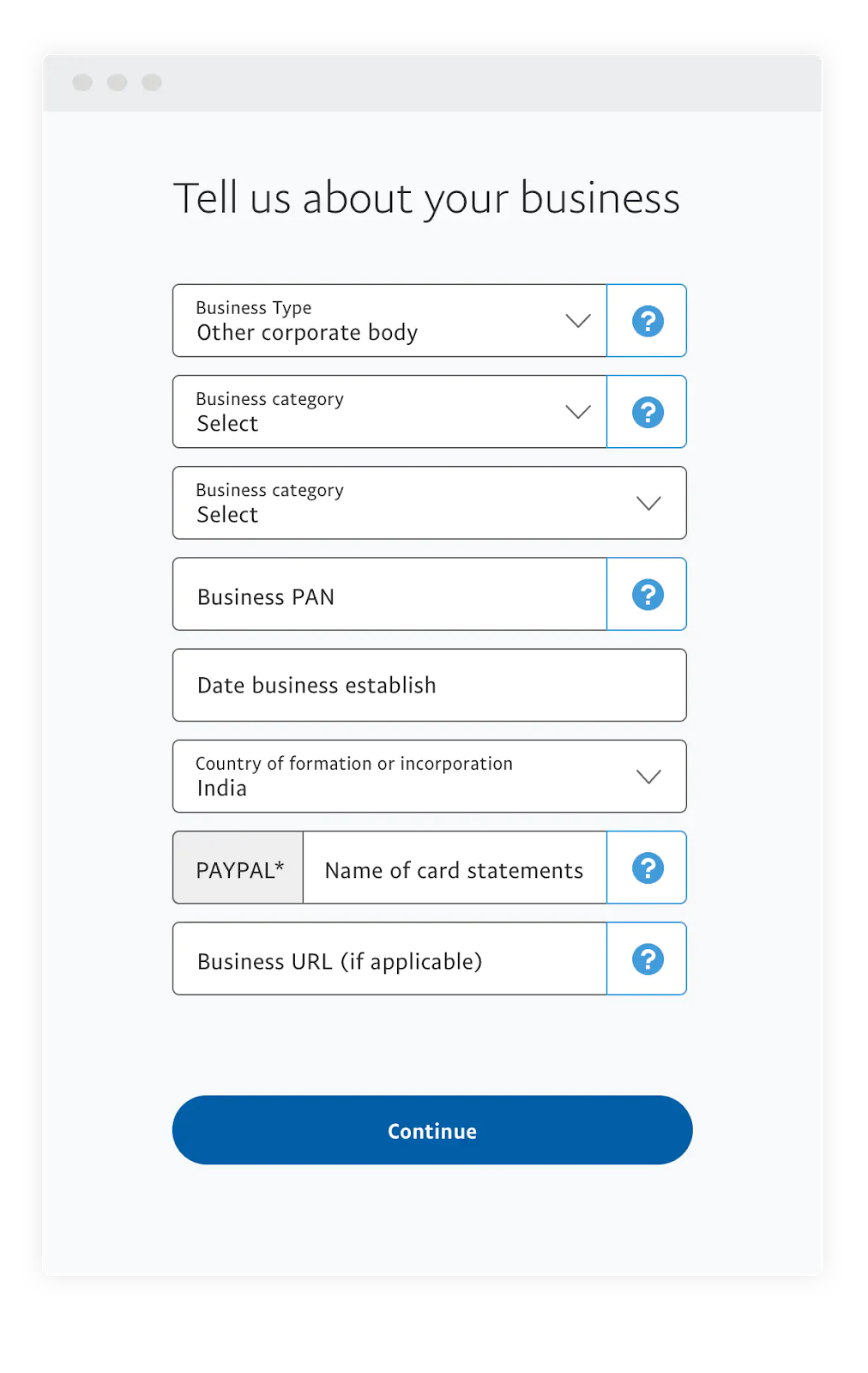
PayPal India distinguishes between five primary business structures, each requiring different documentation to verify. To comply with local regulations, you must select the appropriate entity type:
Once you know your entity type, complete the following steps:
⚠️ To begin using your account to make payments to overseas suppliers, or to receive money from global customers, you must link your verification methods.
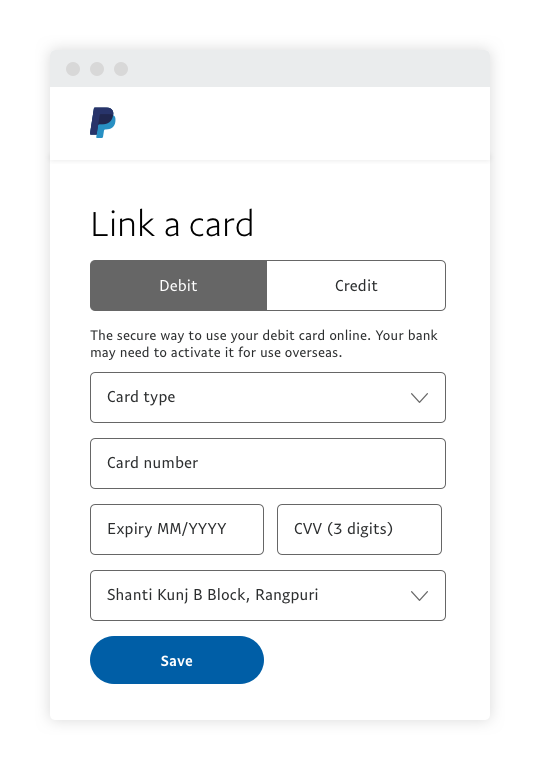
For individuals: You can link an active debit or credit card by navigating to Payment Methods and selecting Link Debit or Credit Card.
For businesses: Go to Payment Methods on your dashboard and link your local Indian business bank account to clear funds.
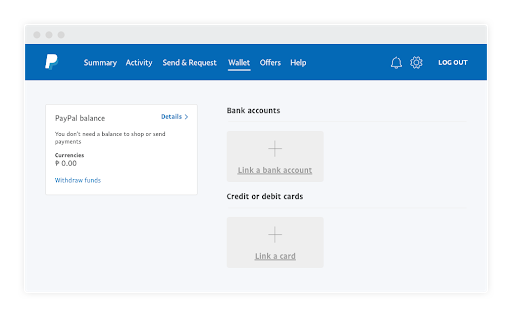
Last but not least, you need to verify your payment method to activate your account functionality fully.
To receive money in your PayPal Business account, first make sure your profile is open, documents are cleared, and your bank account is fully verified.
Next, you can choose from various PayPal cross-border payment solutions to collect funds from international clients and shoppers:
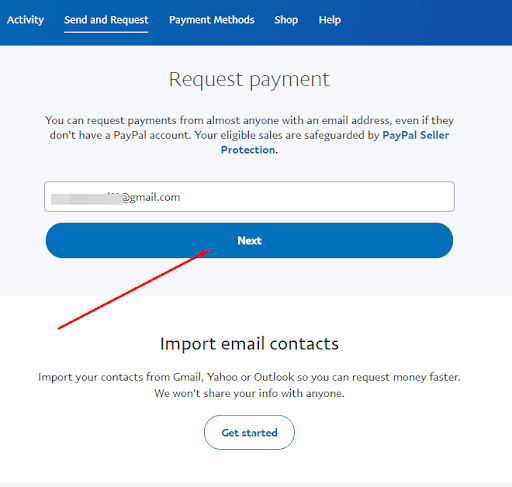
If you are trying to receive an international transfer into a personal, individual PayPal account in India, you are out of luck. Local regulations mean that cross-border incoming transfers are strictly unavailable for personal accounts—you must have a verified PayPal Business account to receive funds from abroad.
| Try other trusted providers to receive money from abroad directly to your local Indian bank account, like Wise 🚀 |
|---|
Unfortunately, if you are using PayPal as an individual in India, you will not be able to send money to friends, family, or clients. Stored-value wallet services are not supported for personal accounts under local compliance rules.
However, you can still use PayPal as a checkout option to purchase goods or services from global merchants who support the network. To do this, simply link your credit or debit card directly to your profile. Since you cannot hold an advance digital balance, PayPal will securely charge your card on file at the time of purchase.
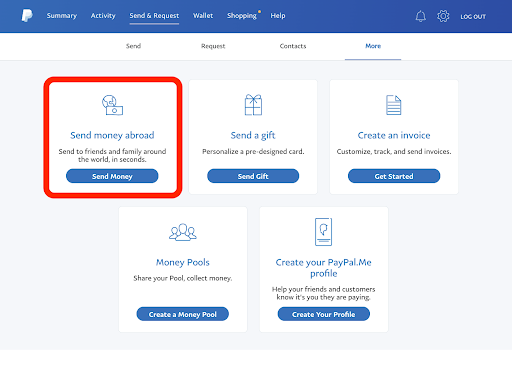
If you are a registered business, sending payments to overseas vendors or remote contractors is straightforward. You can initialise cross-border outbounds through the following routes:
If you are an individual only shopping online, you don't strictly need a bank account — a valid debit or credit card is enough. If you are a business, a bank account is mandatory. PayPal requires an automatic daily auto-withdrawal sweep from your balance to your linked bank account, meaning you cannot operate without one.
You can use PayPal without a card by linking your local Indian bank account directly under the Payment Methods tab on your user dashboard. For businesses, this allows you to collect international customer receipts and route outbound payments straight through your standard bank profile.
While opening and maintaining a PayPal India account won't cost you anything, processing active cross-border transactions does incur fees. Individuals shopping internationally generally face zero added fees, but businesses must build these standard costs into their margins:
PayPal sets its own retail currency exchange rates, which means you may be paying a marked-up conversion rate on any international transactions that come in. This rate will likely differ from the mid-market exchange rate you see on Google. By adjusting this rate, a hidden margin is charged on every unit of foreign currency converted to INR.
For every international receipt from outside India, merchants are subject to a standard international transaction fee of 4.40% + a currency-specific fixed fee depending on where the funds originate.
PayPal applies a currency conversion fee of 3.0% on top of the base exchange rate whenever a balance is converted into INR. Because local rules mandate that export proceeds must auto-sweep daily into your local bank, this conversion charge applies automatically to your daily receipts.
Expanding a business globally opens up exciting opportunities, but also new challenges like receiving payments across borders. Hidden foreign transaction fees and hefty markups involved with international payments can eat into your profits and time.
Are you a small business or freelancer receiving payments from overseas?
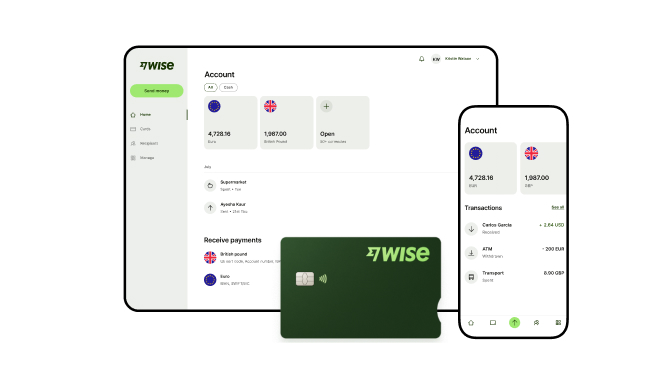
Wise Business serves as a cost-effective alternative to traditional methods, where receiving money is made simple and convenient.
Transform the way you receive global payments with Wise Business:
- Sign up for free to get local account details in 8 major global currencies, including USD, GBP, EUR, and more.
- Leverage these local account details to receive direct payments from global customers or online platforms like Amazon, Upwork, and IndiaMART.
- Receive international payments directly to your INR bank account at the real mid-market exchange rate with no hidden fees or exchange rate markups.
- Enjoy an account with no recurring fees or subscription charges.
- Download an automated eFIRC (Foreign Inward Remittance Certificate) directly from your dashboard for every transfer to make tax compliance simple.
- Rest easy knowing Wise is safe and secure — trusted by over 16 million people and regulatory bodies worldwide.
Sign up for the Wise Business account! 🚀
Please see Terms of Use and product availability for your region or visit Wise fees and pricing for the most up to date pricing and fee information.
*Please see terms of use and product availability for your region or visit Wise fees and pricing for the most up to date pricing and fee information.
This publication is provided for general information purposes and does not constitute legal, tax or other professional advice from Wise Payments Limited or its subsidiaries and its affiliates, and it is not intended as a substitute for obtaining advice from a financial advisor or any other professional.
We make no representations, warranties or guarantees, whether expressed or implied, that the content in the publication is accurate, complete or up to date.

Learn how Wise works in India. Discover how to send and receive money, use the Wise Travel Card, complete Video KYC, and understand fees and transfer limits.

Learn how to pay with UPI on Wise. Step-by-step guide to funding international transfers and card top-ups, including daily limits, fees, and timelines.

Scapia or ixigo AU? We compare features, benefits, exchange rates, fees, and rewards to help Indian travellers choose the right travel credit card.

HDFC offers a selection of foreign currency and multi-currency card options for Indian residents who need to travel abroad. These cards include the HDFC...

Scapia vs Niyo: which is better for your next trip? Compare features, rewards, and fees, and see how these cards stack up against Wise.

Heading abroad for studies? Read our review of the ICICI Student Forex Prepaid Card's charges and benefits, compared with the Wise Travel card.