International trade payment methods: Terms, risks & solutions
Learn the main methods of payment in international trade, how each one works, and which is safest for Indian exporters and importers.


Selling on Amazon isn't limited to your home market anymore. With Amazon Global Selling, an Indian seller can list a product in Mumbai and have it delivered to a customer in Manchester or Miami, using the same seller account. It's one of the fastest ways for an Indian business to become an Amazon international seller, without setting up a company abroad or negotiating warehouse space in a foreign country.
This guide walks through how to sell globally on Amazon from India: who's eligible, which documents you'll need, the step-by-step process, and the challenges Indian sellers run into most.
| Table of Contents |
|---|


Amazon Global Selling¹ is Amazon's program for merchants who wish to list and sell products outside their home marketplace. Indian sellers need to set up a selling account for the Amazon marketplace or region they want to enter.
For example, selling in Europe requires a European seller account, which can provide access to multiple marketplaces such as Germany, the UK, France, Italy, Spain and the Netherlands. Similarly, sellers with a North American marketplace account can use their existing account to expand to other North American marketplaces, including the US, Canada and Mexico1.
Amazon Global Selling supports more than 18 international marketplaces for Indian sellers, including the US, UK, Canada, UAE, Saudi Arabia and markets across Europe. Since 2015, the program has registered over 200,000 exporters from India, giving sellers access to international storefronts, flexible logistics options and Amazon’s fulfilment network for services such as delivery and returns.2
For Indian sellers, Amazon Global Selling can make international expansion more manageable with its offerings3:
Costs vary by marketplace, category and fulfilment method. For example, Amazon's US marketplace currently offers an Individual plan at USD 0.99 per item sold plus applicable selling fees, while the Professional plan is USD 39.99 per month plus selling fees.⁴
On top of the plan fee, most sellers also pay⁴:

Amazon Global Selling is open to sellers of different sizes, from local sellers and startups to established exporters. To start exporting from India, you can register with Amazon Global Selling, choose your international marketplace and list your products.
You'll also need to meet the export documentation and regulatory requirements that apply to your product category, India as the country of origin, and the destination market.7
Amazon's registration process may require:8
Indian exporters may need an Importer Exporter Code (IEC), a 10-digit identification number issued by the DGFT based on the business PAN. Other requirements can include an Authorized Dealer (AD) Code from the bank where you hold your business current account and a Letter of Undertaking (LUT) if you want to export without paying IGST.
For individual shipments, documents can include a shipping bill, commercial invoice, packing list, bill of lading or air waybill, certificate of origin, and insurance certificate. Additional licences or certificates may be required depending on the product, shipping method and destination country.9
Once you’ve confirmed the requirements and have your documents ready, here’s how to sell globally on Amazon from India, step by step:
Start with demand and unit economics rather than simply choosing the largest Amazon marketplace. Compare competition, expected selling price, Amazon fees, international shipping, duties, returns and local product regulations.
Also check whether your product needs approval or market-specific documentation. Food, cosmetics, electronics and other regulated categories can have additional labelling, safety or certification requirements.
Apply for your IEC and identify the other documents required for your product and destination. Depending on your setup, this can include GST-related documentation, AD Code, LUT and product-specific certificates.
Preparing these before inventory moves can reduce customs delays and prevent a shipment from being held because a required document is missing.9
Go to Amazon Global Selling and select Register now, then choose the marketplace or country where you want to start selling. If you already have an Amazon.in customer account, you can use the same email and password to create your seller account. Otherwise, create a new Amazon account.
During registration, you'll need to add your business type and location, legal name, business details, seller information, internationally enabled credit or debit card, and store information. Complete Amazon's identity and address verification to finish setting up your seller account⁸.
Once your seller account is ready, add the products you want to sell through Seller Central. Before creating a listing, keep the following information ready¹⁰:
If your product already exists on Amazon, you can match it to the existing listing and add your price and quantity. If it is new to Amazon, you'll need to create a new product listing with the required product information.
For larger catalogues, Professional sellers can also list products in bulk. Download Amazon's inventory file template from Seller Central, enter details such as SKUs, titles, descriptions and prices, and upload the completed file to add or update multiple products at once.
There are two main routes³.
With Merchant Fulfilled Network (MFN), you hold the inventory and ship orders to international customers using your own logistics provider or supported Amazon shipping options.
With Fulfillment by Amazon (FBA), you send inventory to Amazon fulfilment centres in the target market. Amazon then stores the stock, picks and packs orders, delivers them and manages customer service and returns. Indian FBA sellers can also explore Amazon Global Selling SEND for cross-border shipping to Amazon fulfilment centres.
Compare both options based on order volume, product dimensions, storage costs, delivery expectations and return rates.

Set a price that accounts for more than the product cost. Include Amazon fees, export shipping, customs, storage, advertising, returns, taxes and currency conversion.
After launch, monitor sales, inventory, advertising performance, reviews and margins by marketplace. A product that performs well in the US may need different pricing or positioning in Europe or the Middle East.
Finally, decide how you'll receive marketplace proceeds. Keep settlement reports and proof of foreign remittances for your records. Indian exporters may need documents such as FIRC¹⁰ or bank credit advice for payment reconciliation and compliance purposes.
If you sell across several Amazon marketplaces, also compare the cost of receiving and converting USD, GBP, EUR and other payout currencies into INR.
Selling internationally on Amazon is more accessible than it used to be, but Indian sellers still run into a few recurring problems:
Of these, currency conversion is the one that quietly costs sellers the most over time, because it applies to every single payout, not just occasional shipments.
Expanding a business globally opens up exciting opportunities, but also new challenges like receiving payments across borders. Hidden foreign transaction fees and hefty markups involved with international payments can eat into your profits and time.
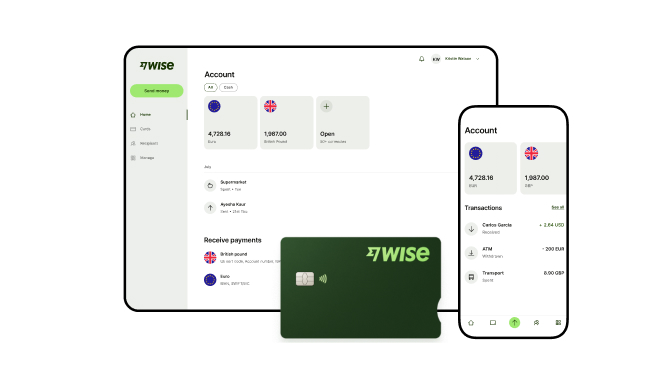
Wise Business addresses this gap by enabling Indian businesses to receive money from abroad using local account details in supported foreign currencies. Conversions are offered mid-market exchange rates with no hidden markups and a transparent upfront fee.
Are you a small business or freelancer receiving payments from overseas? Transform the way you receive global payments with Wise Business:
Sign up for the Wise Business account! 🚀
1. Do I need a separate GST registration to sell internationally on Amazon from India?
Not simply because you open an international Amazon seller account. However, GST obligations depend on your business and exports. Amazon's registration process accepts several forms of business registration, while Indian export transactions have separate GST compliance requirements. Check the GST treatment applicable to your business before exporting.
2. Do I mandatorily need an IEC to sell globally on Amazon from India?
For exporting goods from India, an IEC is one of the key export registrations. It is a 10-digit identification number issued by the DGFT based on the business PAN. Specific exemptions can exist, so confirm whether one applies to your transaction¹³.
3. How do I get an e-FIRC for my international Amazon sales?
An FIRC provides evidence of money received from abroad. The process depends on the payment route and bank or payment provider. Wise Business in India provides an eFIRC for every eligible international payment received through its account details and converted to INR.⁸
4. Can I manage multiple international Amazon marketplaces from one single account?
It depends on the region and account setup. Amazon provides regional and international selling tools, and Build International Listings can help synchronise offers and prices across supported marketplaces¹⁴. You may still need to register for the marketplaces or regions where you intend to sell.
5. How do I handle customer returns for international Amazon orders?
With FBA, Amazon handles return processing and customer service for orders it fulfils⁵. If you use merchant fulfilment, you are responsible for your own fulfilment and return process, so factor international return shipping and local customer-service requirements into your plan.
Sources:
*Please see terms of use and product availability for your region or visit Wise fees and pricing for the most up to date pricing and fee information.
This publication is provided for general information purposes and does not constitute legal, tax or other professional advice from Wise Payments Limited or its subsidiaries and its affiliates, and it is not intended as a substitute for obtaining advice from a financial advisor or any other professional.
We make no representations, warranties or guarantees, whether expressed or implied, that the content in the publication is accurate, complete or up to date.

Learn the main methods of payment in international trade, how each one works, and which is safest for Indian exporters and importers.

Learn about the main types of international trade in India: import, export and entrepot. Expore customs processes, risks and costs.

Discover how MakeMyTrip myBiz simplifies corporate travel. Explore core features, GST invoice benefits, platform fees, ideal users and how to set up an account.

Learn how PayU India handles international payments, including foreign cards, currencies, fees, settlement, and how to get started with cross-border payments.

Looking to ship internationally from India? Learn how shipping works, required documents, costs, and how Wise Business helps you manage international payments.

Opening a Wise Business account in India as a sole trader? Learn what you need, how verification works, and how to receive your first payment.