How Much Does It Cost to Hire a Campervan in NZ?
Find out how much campervan hire in NZ can cost, with daily price ranges, a two-week budget and extras to check before booking.


| Wise now offers travel eSIMs, with global data plans covering 151 destinations. Set up your mobile data before you fly and manage it alongside your travel spending - all in one place with the Wise app. T&Cs apply. |
|---|
Ubigi’s prepaid travel eSIM gives international travellers mobile data in 200+ destinations, with 4G and 5G speeds. Its local, regional and global plans range from 500MB to unlimited data, and you can buy them online before your trip. So you can leave expensive carrier roaming fees, airport SIM queues and relying on public Wi-Fi off your list of travel worries.¹
This Ubigi eSIM review takes you through how the Ubigi eSIM works, what its plans cost and where they offer coverage, then shows you how to set it up and use features like hotspot. You can also learn more about the Wise card, an easy way to stretch your dollars when paying in foreign currencies.
| Table of Contents |
|---|

Ubigi is a travel eSIM provider offering prepaid mobile data plans for use in over 200 destinations. No physical SIM card needed. With the Ubigi eSIM, you can connect to local 4G and 5G networks and use your phone as a hotspot to share the data with different devices.¹
You can keep the same Ubigi eSIM profile on your device and reuse it for future trips, buying or topping up plans as you need them. Just bear in mind that the profile will be automatically terminated after 18 months of inactivity.²
Yes. You can buy and install a Ubigi eSIM before your trip. Its SmartStart feature starts the plan’s validity automatically when you arrive in a destination the plan covers, so your plan days won’t tick away before you travel.
If you buy a plan while you’re already in a covered destination, though, activation starts immediately. Ubigi recommends installing the eSIM before you travel, as you need internet connectivity.³
Here are some of the Ubigi eSIM’s pros,⁴ cons and key features¹:
| Category | Details |
|---|---|
| Pros | |
| Cons | |
| Key features |
With Ubigi, you can choose country-specific, regional and global plans, with both fixed-data and unlimited options.
Plan prices vary by destination, with a choice of data allowances and validity periods for short trips and longer stays. You can pick a plan that fits your itinerary. Used all your data? You can top up your Ubigi eSIM through the Ubigi app, even without Wi-Fi.
Here’s how Ubigi’s main plan types compare, including their typical data allowances¹ and validity⁵:
| Plan type | Best for | Data | Validity |
|---|---|---|---|
| Country-specific (local) | One-country trips | 500MB-unlimited | 1 day–12 months |
| Regional | Multi-country trips | 500MB–unlimited | 1 day–12 months |
| World – one-off | Short international trips | 500MB–unlimited | 8 days–12 months |
| World – monthly | Longer or recurring travel | 5GB, 20GB or unlimited | Renews monthly (only cancellable after 3 months) |
| World – annual | Frequent international travel | 5GB a month or 20 GB a month | 12 months |
| Top up | Extra data | Varies | Depends on the plan |
Travel tip: Ubigi supports currencies like AUD, GBP and EUR, but from New Zealand, you’ll be charged in USD. That’s where a multi-currency account like Wise comes in. Wise can help cut the cost of spending abroad: you can hold and convert local currencies at the mid-market exchange rate, with transparent currency conversion fees. So you can spend and save smarter at the same time.
Curious to see the mid-market rate yourself? Take a look below:
How does Ubigi stack up against its main competitors? Here’s a comparison of their global 1GB plan prices, setup, security features and customer support.
| Provider | Price | Setup | Security features | Support |
|---|---|---|---|---|
| Ubigi¹ | $15.94 NZD ($9 USD) | Single reusable eSIM | No built-in security tools | Interactive chat, contact form or WhatsApp support |
| Airalo⁶ | $15.05 NZD ($8.50 USD) | Multiple eSIMs supported | No built-in security tools | 24/7 support |
| Saily⁷ | $15.92 NZD ($8.99 USD) | Single reusable eSIM | Web protection, ad blocker and virtual location | 24/7 support |
Ubigi offers eSIM data plans in over 200 countries across five continents. You can choose plans for individual countries, regions or worldwide travel. Here’s a closer look at three popular destinations and regions: Japan, Australia and Europe.
Here are the available Ubigi eSIM Japan options, side by side⁸:
| Validity | Data | Price |
|---|---|---|
| 3 days | 1GB | $6.20 NZD ($3.50 USD) |
| 7 days | 10GB | $24.79 NZD ($14 USD) |
| 8 days | Unlimited | $44.27 NZD ($25 USD) |
| 15 days | 3G | $13.28 NZD ($7.50 USD) |
| 15 days | 5GB | $17.71 NZD ($10 USD) |
| 15 days | Unlimited | $69.07 NZD ($39 USD) |
| 30 days | 1GB | $7.08 NZD ($4 USD) |
| 30 days | 10GB | $29.22 NZD ($16.50 USD) |
| 30 days | 25GB | $56.67 NZD ($32 USD) |
| 30 days | 50GB | $97.40 NZD ($55 USD) |
| 30 days | Unlimited | $115.11 NZD ($65 USD) |
| 12 months | 5GB/month | $97.40 NZD ($55 USD) |
| Unlimited | 5GB/month | $14.17 NZD/month ($8 USD) |
| Unlimited | 20GB/month | $31.88 NZD/month ($18 USD) |
| Unlimited | Unlimited/month | $76.69 NZD/month ($45 USD) |
Here are the Ubigi eSIM Australia options available⁹:
| Validity | Data | Price |
|---|---|---|
| 7 days | 1GB | $7.08 NZD ($4 USD) |
| 7 days | 10GB | $24.79 NZD ($14 USD) |
| 7 days | Unlimited | $38.96 NZD ($22 USD) |
| 15 days | 3G | $14.17 NZD ($8 USD) |
| 15 days | Unlimited | $74.38 NZD ($42 USD) |
| 30 days | 10GB | $28.33 NZD ($16 USD) |
| 30 days | 25GB | $56.67 NZD ($32 USD) |
| 30 days | 50GB | $97.40 NZD ($55 USD) |
| 30 days | Unlimited | $115.11 NZD ($65 USD) |
Ubigi has several Europe-focused eSIMs to choose from, including Europe, Europe Extended, Isle of Man + Channel Islands and Scandinavia & Baltic plans. Below, we’re looking specifically at the standard Europe plans.¹⁰
| Validity | Data | Price |
|---|---|---|
| 2 days | 500MB | $3.54 NZD ($2 USD) |
| 7 days | 10GB | $21.25 NZD ($12 USD) |
| 7 days | Unlimited | $40.73 NZD ($23 USD) |
| 15 days | Unlimited | $61.98 NZD ($35 USD) |
| 30 days | 3GB | $12.40 NZD ($7 USD) |
| 30 days | 10GB | $26.56 NZD ($15 USD) |
| 30 days | 25GB | $51.36 NZD ($29 USD) |
| 30 days | 50GB | $95.63 NZD ($54 USD) |
| 30 days | Unlimited | $109.80 NZD ($62 USD) |
| 12 months | 2GB/month | $42.50 NZD ($24 USD) |
| 12 months | 5GB/month | $86.78 NZD ($49 USD) |
| 12 months | 20GB/month | $352.41 NZD ($199 USD) |
| Unlimited | 5GB/month | $12.40 NZD/month ($7 USD) |
| Unlimited | 20GB/month | $33.65 NZD/month ($19 USD) |
| Unlimited | Unlimited | $ 86.78 NZD/month ($49 USD) |
No. Ubigi eSIMs are data-only, so they don’t support traditional mobile calls. You can still use your data to make calls and send messages through internet-based apps like WhatsApp, FaceTime, Messenger and Skype.¹¹
Yes. Ubigi supports hotspot and tethering, so you can share your mobile data connection with other devices, like a laptop or tablet.¹ That hotspot use draws on the same data allowance as your Ubigi plan. If you work remotely or use your laptop a lot, you may want to choose a plan with more data.
Before you buy a Ubigi eSIM, check that your device is eSIM compatible and unlocked. Dial *#06# to check for eSIM compatibility. If an EID number appears (typically 32 digits), your device supports eSIMs.¹
Install your Ubigi eSIM before departure, using a reliable Wi-Fi connection. Ubigi’s SmartStart feature ensures your plan’s validity only starts when you arrive at a covered destination. That means you don’t have to worry about losing days.³
To install your Ubigi eSIM on an iPhone with your Ubigi QR code, follow these steps¹²:
- After purchasing a Ubigi eSIM on its website, open the QR code in your confirmation email.
- Scan the QR code, or press and hold it if your iPhone is running iOS 17.4 or later.
- Tap Add Data Plan and follow the on-screen instructions.
- Name the eSIM Ubigi so it’s easy to identify, especially if you plan to use it on future trips.
- Select your regular SIM for calls, iMessage and FaceTime.
- Select Ubigi for mobile data and turn off Mobile Data Switching and Data Roaming to avoid using your home carrier’s data.
- Turn on Data Roaming on your Ubigi eSIM when you arrive.
You can also install your eSIM through the Ubigi app.
Here’s how to install your Ubigi eSIM on an Android using your Ubigi QR code¹³:
- Purchase a Ubigi plan and open the QR code in your confirmation email.
- Scan the QR code, or press and hold it if your device supports this.
- Tap Add and follow the prompts to install the eSIM.
- Rename the eSIM Ubigi and select it as your default SIM for mobile data.
- Go to Mobile networks and turn on Data Roaming for the Ubigi eSIM when you arrive at your destination.
- If required, add an APN with Name: Ubigi and APN: mbb.
You can also download the Ubigi mobile app and install your eSIM through it.
The Wise card is a simple way to save up to 6x when you're spending internationally. You can spend in 150+ countries at mid-market rate — basically the rate you see on Google. With no foreign transaction fees and low, transparent pricing, Wise usually gives you the best value for your money.
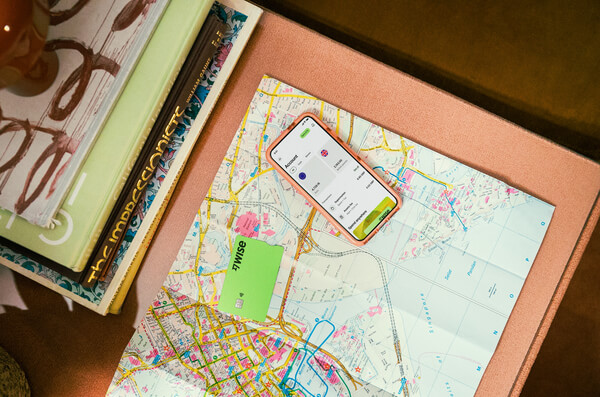
Simply create a Wise account for free, order a card and top-up NZD to get started. Better yet, New Zealand customers can order a physical Wise card with no order fee until 25 November 2026.
Having a physical Wise card allows you to make chip and pin payments, as well as make some free ATM withdrawals each month for when you're abroad. You can get digital cards and add to your Google or Apple Pay wallet for instant use. Spend directly with the Wise account in NZD and let auto-conversion do the trick or convert in advance to your desired currency.
You can also hold and exchange 40+ currencies in your Wise account and spend the currencies you hold for free.
Wherever your travel takes you, the Wise card makes spending money abroad cheaper and easier.
Please see Terms of Use and product availability for your region or visit Wise Fees & Pricing for the most up to date pricing and fee information.
Sources:
*Please see terms of use and product availability for your region or visit Wise fees and pricing for the most up to date pricing and fee information.
This publication is provided for general information purposes and does not constitute legal, tax or other professional advice from Wise Payments Limited or its subsidiaries and its affiliates, and it is not intended as a substitute for obtaining advice from a financial advisor or any other professional.
We make no representations, warranties or guarantees, whether expressed or implied, that the content in the publication is accurate, complete or up to date.

Find out how much campervan hire in NZ can cost, with daily price ranges, a two-week budget and extras to check before booking.

Is Nomad eSIM right for your next trip? Compare plans, prices, coverage and performance, and see how installation works.

Heading to New Zealand? See how the 2degrees eSIM works, compare prepaid options and learn how to get connected quickly after you arrive.

Heading to New Zealand? Compare Spark eSIM plans, prices, coverage and setup so you can get connected before you even land.

Looking for the cheapest place to fly into Europe from New Zealand? Compare the best European entry points, and top flight-booking tips for Kiwis.
Planning a trip from NZ to Europe? Discover the best prepaid SIM cards and eSIMs. Compare plans from Vodafone, Orange, Holafly, and more.